
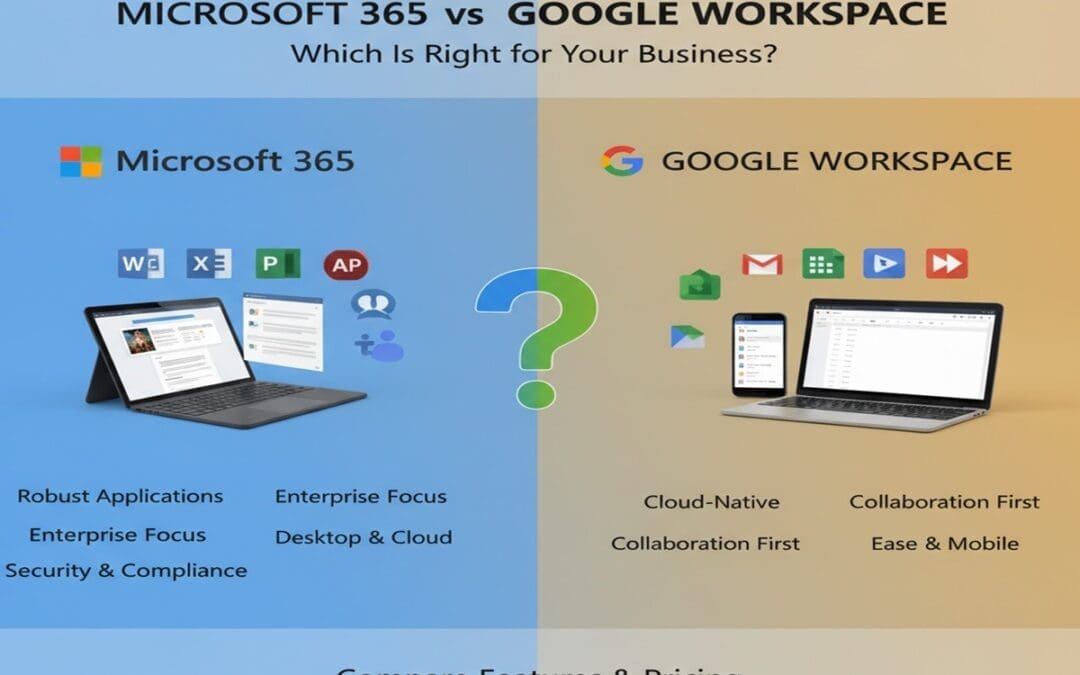
Two tools dominate the business productivity market. One is a Swiss Army knife with decades of enterprise heritage. The other is a browser-native collaboration machine built for the cloud-first generation. Choosing between Microsoft 365 vs Google Workspace is one of the most consequential software decisions a business makes — and getting it wrong costs time, money, and team morale.
This guide breaks down pricing, features, collaboration tools, security, and the real-world scenarios where each platform wins. No vendor spin. Just a clear, honest comparison so you can make the call with confidence.
Why trust this? This article draws on verified market data, official pricing pages, and hands-on practitioner experience comparing both platforms across business contexts.
How Do Microsoft 365 and Google Workspace Actually Differ?
At its core, the difference between Microsoft 365 and Google Workspace comes down to one question: do you need desktop apps, or is the browser enough?
Microsoft 365 is a subscription suite that gives you full desktop applications — Word, Excel, PowerPoint, Outlook — alongside cloud services like Teams, SharePoint, and OneDrive. You install the software on your device and work whether you have Wi-Fi or not.
Google Workspace is cloud-native. Docs, Sheets, Slides, Gmail, and Meet all live in the browser. Offline mode exists but feels like an afterthought. The real power is simultaneous real-time collaboration — multiple people editing the same document at exactly the same moment, zero conflicts.
As of 2026, Google Workspace controls over 44% of the global productivity suite market, while Microsoft 365 holds approximately 30% — though that headline number hides an important nuance. Microsoft 365 holds roughly 58% of the enterprise segment, and 75% of Fortune 500 companies use it as their primary productivity suite. Google wins on breadth; Microsoft wins on depth.
Both platforms have shifted hard into AI. A Google Workspace subscription includes Gemini for free, while Microsoft includes a basic version of Copilot with all Microsoft 365 subscriptions — though advanced Copilot features require an add-on. If AI-assisted drafting and data analysis are priorities, weigh that cost carefully.
Microsoft 365 vs Google Workspace Pricing: What Will It Actually Cost?
Both platforms start at $6 per user per month on annual billing — but the value inside each entry-level plan is very different.
Entry-Level Plans
Microsoft 365 Business Basic at $6/user/month includes a dedicated 50 GB email inbox plus 1 TB of file storage. Google Workspace Business Starter at $6/user/month caps total storage at 30 GB — emails and files combined.
That’s a significant gap for any team dealing with large attachments or video files. On storage alone, Microsoft’s entry plan is the stronger starter.
Mid-Tier Plans
Google Workspace fees range from $6 to $18 per user/month for standard plans, while Microsoft 365 ranges from $6 to $22. Google’s Business Standard ($12/user) and Business Plus ($18/user) plans unlock 2 TB and 5 TB of pooled storage respectively — competitive territory for file-heavy teams.
The Hidden Cost Truth
A common myth: Google Workspace is cheaper. When comparing Standard tiers directly, Microsoft is actually cheaper than Google — and includes desktop apps that Google simply doesn’t offer. Factor in whether your team needs installed software before assuming either platform saves money.
Bottom line: For pure value at the entry level, Microsoft 365 wins. For larger pooled storage at mid-tier, Google competes well. Always model your actual user count and storage needs before committing.
Google Workspace vs Microsoft 365 for Small Business and Startups
For early-stage teams and small businesses, Google Workspace is usually the faster, friendlier choice — and for good reason.
Google’s interface is intuitive enough that a five-person startup can be up and running in an afternoon. There’s no software to install, no IT admin needed for basic setup, and real-time document collaboration is baked in from day one. For a team that lives in Slack, Zoom, or browser tabs, Workspace slots in cleanly.
For many startups, Google’s suite covers the essentials — email, basic file storage, and collaboration tools — which are usually enough for early-stage needs. However, as startups expand, they frequently find that Google’s offerings begin to fall short in security, compliance tools, and the data analytics capabilities that scale with larger teams.
Microsoft 365 has a steeper setup curve, but it pays off. Teams with even one person who lives inside Excel pivot tables or complex Word documents will feel the friction of switching to Google’s lighter equivalents. Google Sheets is excellent; it is not Excel.
The practical rule of thumb:
- Choose Google Workspace if your team is ≤20 people, primarily browser-based, and collaboration speed matters most.
- Choose Microsoft 365 if even one critical workflow requires the full power of Office apps, or if you anticipate growth into regulated territory.
Microsoft 365 vs Google Workspace Security Comparison
Security is where the gap between these platforms widens most clearly — especially for businesses in finance, healthcare, or legal sectors.
Microsoft 365 offers a more complete enterprise-grade security stack, including Azure Active Directory, Conditional Access policies, mobile device management via Intune, and integrated threat protection through Microsoft Defender — all available out of the box in various plans.
Google Workspace takes a built-in security approach with zero-trust principles and strong admin controls — well-suited for smaller teams needing simplicity. Microsoft 365 is the better option for industries with strict compliance needs.
Compliance and Governance
For industries with regulatory requirements — HIPAA, GDPR, FedRAMP — Microsoft 365’s compliance toolset is substantially deeper. Google has made meaningful improvements, but its governance options remain more foundational.
Google’s admin console offers essential security settings like two-step verification and basic device management, but has fewer native tools for advanced threat detection or unified endpoint management.
If you’re running a standard SMB without heavy regulatory requirements, Google’s security is genuinely solid. If a data breach or compliance audit would threaten the business, Microsoft 365’s enterprise controls are worth the additional investment.
Collaboration Tools: Google Workspace vs Microsoft 365
Both platforms have made collaboration their central pitch — but they approach it completely differently.
Google Workspace built collaboration into the foundation. Multiple users can edit the same Google Doc simultaneously with zero version conflicts. Changes appear in real time, cursor and all. For distributed teams working fast, this is genuinely magic.
Microsoft 365 has caught up meaningfully with cloud co-authoring in Word, Excel, and PowerPoint online. Microsoft Teams integrates tightly with SharePoint and OneDrive, often serving as the foundation for a company’s broader intranet strategy. For organisations that need structured communication channels, document libraries, and formal project workflows — Teams plus SharePoint is a serious system.
Video Conferencing
Google Meet is browser-native and requires no software download. It’s clean and fast to join. Microsoft Teams requires a client download for the full experience but offers richer meeting features — breakout rooms, advanced moderation, meeting recordings stored directly in SharePoint.
Microsoft Teams crossed 360 million monthly active users by June 2025 — a number that signals deep enterprise entrenchment, not just pandemic-era adoption.
The verdict: Google Workspace wins for simple, fast document collaboration. Microsoft 365 wins for complex organisational communication at scale.
Conclusion
The Microsoft 365 vs Google Workspace decision rarely has a single right answer — but it almost always has a right answer for your business.
Choose Google Workspace if you’re a small, browser-first team that values speed, simplicity, and real-time collaboration. Choose Microsoft 365 if you need desktop-grade applications, enterprise security, compliance tools, or infrastructure that scales with growth. Don’t choose on price alone — model the full cost against your actual workflow requirements.
Your next step: Take your three most critical daily workflows and ask: which platform handles these with less friction? That answer is your decision.
Frequently Asked Questions
Is Google Workspace cheaper than Microsoft 365?
Not necessarily. Both start at $6 per user per month. At the Standard tier, Microsoft 365 is often cheaper than Google Workspace and includes full desktop apps that Google does not offer. The right comparison depends on your team size, storage needs, and required features.
Which is better for small businesses: Microsoft 365 or Google Workspace?
Google Workspace is generally better for small teams that work entirely in the browser and prioritise real-time collaboration. Microsoft 365 suits small businesses that rely on advanced Office tools like Excel or need stronger security and compliance controls as they grow.
What is the main difference between Microsoft 365 and Google Workspace?
Microsoft 365 provides full installable desktop applications alongside cloud services. Google Workspace is cloud-native, meaning its tools live in the browser. Microsoft offers more offline capability and enterprise depth; Google offers simpler, faster online collaboration.
Which platform has better security — Microsoft 365 or Google Workspace?
Microsoft 365 has a more comprehensive enterprise security stack, including advanced threat protection, device management, and compliance tools suited for regulated industries. Google Workspace offers solid baseline security that works well for most small and medium businesses.
Can a business use both Microsoft 365 and Google Workspace?
Yes. Many organisations run both. Around 64% of organisations run dual-stack environments, using both Microsoft 365 and Google Workspace simultaneously — typically Microsoft for email and document management, and Google for lightweight collaboration or specific teams.