
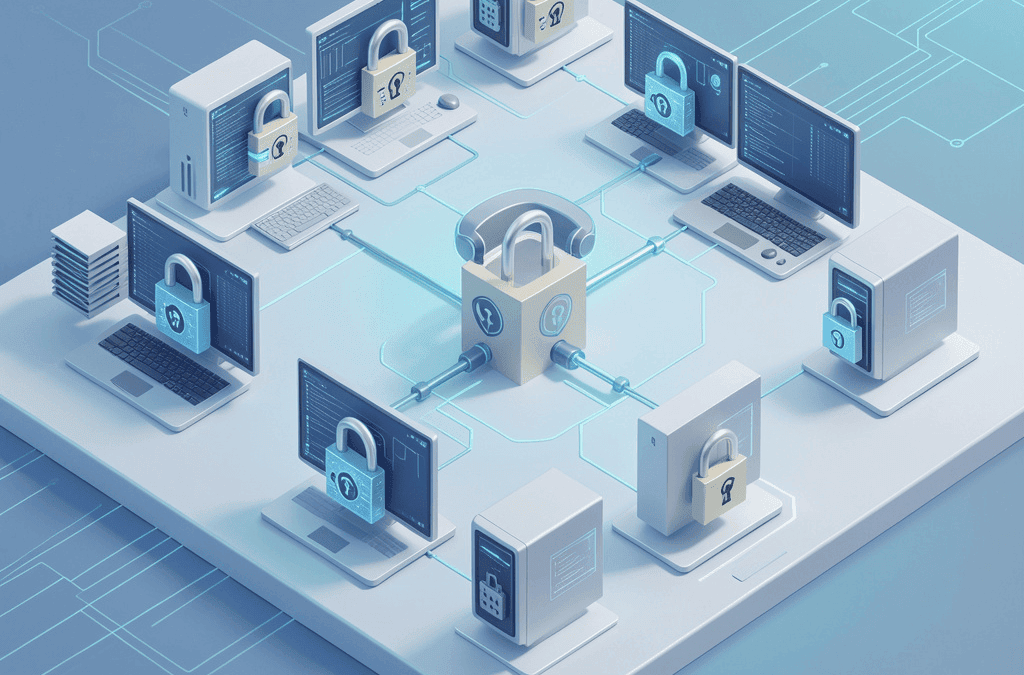
Zero trust security small business protection has become essential, not optional. Every week brings another headline about a data breach — and it’s not just the big brands getting hit. Small businesses are now a top target for cybercriminals, precisely because attackers know smaller companies often run on outdated, wide-open network security. That’s where zero trust comes in.
What Is Zero Trust Security?
Zero trust security is a cybersecurity framework built around a simple principle: never trust, always verify. Rather than assuming that anyone already inside your company network is automatically safe, a zero trust model checks the identity, device, and permissions of every user and system attempting to access data, every single time, regardless of whether the request comes from inside the office or from a laptop at a coffee shop.
The term was formalized by the National Institute of Standards and Technology (NIST) in Special Publication 800-207, which defines zero trust architecture as a security model that eliminates implicit trust and continuously validates every stage of a digital interaction.
The Core Principles of Zero Trust
- Verify explicitly – confirm identity and device health before granting access, every time.
- Use least-privilege access – give each user only the access they need to do their job, nothing more.
- Assume breach – design your systems as if an attacker is already inside, limiting how far they can move.
Why Traditional “Castle-and-Moat” Security No Longer Works
Older network security models work like a castle surrounded by a moat: build a strong perimeter (a firewall), and trust everything inside it. That approach made sense when employees worked from one office on company-owned computers. It doesn’t hold up in a world of remote teams, cloud software, personal devices, and vendors who need occasional access to your systems.
Once an attacker gets past that outer perimeter, often through a single stolen password, the castle-and-moat model gives them free rein to move across the network. This is exactly how many ransomware attacks spread from one compromised laptop to an entire company’s file servers in a matter of hours.
How Zero Trust Works in Practice
Zero trust isn’t a single piece of software, it’s a combination of practices and tools working together. Here’s what that typically looks like for a growing business:
Identity Verification
Multi-factor authentication (MFA) confirms that users are who they claim to be, using a second factor like a phone app or security key in addition to a password.
Least Privilege Access
Employees and vendors are granted access only to the specific files, folders, or applications required for their role, not the entire network by default.
Micro-Segmentation
The network is divided into smaller zones, so if one device or account is compromised, the damage is contained rather than spreading company-wide.
Continuous Monitoring
Security tools watch for unusual behavior in real time, such as a login from an unfamiliar location, and can automatically flag or block suspicious activity.
Zero Trust Security Small Business Guide: Do You Really Need It?
It’s a fair question, zero trust is often discussed in the context of large enterprises and government agencies. But the data tells a different story for small businesses:
- The U.S. Small Business Administration reports that roughly 43% of cyberattacks are aimed at small businesses.
- Credential theft was involved in about 22% of all data breaches in 2025, according to the Verizon Data Breach Investigations Report, precisely the attack vector zero trust is designed to stop.
- Organizations with a zero trust architecture in place saved an average of $1.76 million per breach compared to those without, per IBM’s 2025 Cost of a Data Breach Report.
- Small and medium-sized businesses are now the fastest-growing adopter segment in the zero trust market, as cloud-based tools make enterprise-grade protection affordable at smaller scale.
If your business has remote or hybrid employees, uses cloud software like Microsoft 365 or Google Workspace, allows any personal devices to connect to company data, or works with outside vendors and contractors, you already have the exact gaps zero trust is designed to close.
Benefits of Zero Trust for Small Businesses in East Tennessee
- Reduced breach impact – contained access limits how far an attacker can move if a password or device is compromised.
- Better remote work security – employees working from home or on the road are verified the same way as in-office staff.
- Simplified compliance – many industries (healthcare, finance, legal, insurance) increasingly expect zero trust-aligned controls.
- Lower insurance risk – cyber liability insurers increasingly ask about MFA and access controls when underwriting policies.
- Peace of mind – owners spend less time worrying about “what if” and more time running the business.
Common Zero Trust Myths for Small Business Owners
Myth: “Zero trust means I don’t trust my employees.”
Zero trust is about verifying systems and access, not questioning your team’s integrity. It protects employees too, if their credentials are stolen through no fault of their own, zero trust limits what a criminal can do with them.
Myth: “It’s too expensive and complicated for a small business.”
Cloud-based identity and access tools have made core zero trust protections, like MFA and least-privilege access, available at small-business pricing. Most companies phase in zero trust over time rather than overhauling everything at once.
Myth: “We already have a firewall, so we’re covered.”
A firewall protects the perimeter of your network, but it does nothing once a threat is already inside, through a phished password, for example. Zero trust assumes that scenario and limits the damage from the start.
How to Start Implementing Zero Trust Security (Without Overspending)
- Turn on multi-factor authentication across email, file storage, and any system holding sensitive data.
- Audit user access and remove permissions employees and vendors no longer need.
- Segment your network so guest Wi-Fi, point-of-sale systems, and core business data aren’t all on the same open network.
- Add continuous monitoring so unusual login attempts or file activity get flagged in real time.
- Work with a managed IT partner who can prioritize these steps based on your budget and risk level, rather than a one-size-fits-all rollout.
How PDS Consulting Helps Morristown Businesses Adopt Zero Trust
At PDS Consulting, we help small and mid-sized businesses across Morristown and East Tennessee, from Knoxville and Sevierville to Johnson City and Kingsport, build practical, right-sized cybersecurity that doesn’t require an enterprise budget. Our cybersecurity monitoring and management and managed detection and response (MDR) services give you the identity verification, access controls, and 24×7 monitoring that zero trust security is built on, backed by a local team that knows your business.
Not sure where your business stands? Schedule a free network security assessment with PDS Consulting and we’ll show you exactly where the gaps are, and the most cost-effective way to close them.
Frequently Asked Questions
What is zero trust security in simple terms?
Zero trust security is a cybersecurity approach built on one rule: never trust, always verify. Instead of assuming anyone inside your network is safe, zero trust checks the identity and device of every person and system every time they try to access data or applications, whether they’re in the office or working remotely.
Is zero trust security only for large companies?
No. Zero trust was originally built for large enterprises, but cloud-based tools have made it affordable for small businesses too. Since small businesses are targeted in a large share of all cyberattacks, a right-sized zero trust setup is often more practical for a 10-person company than an enterprise firewall ever was.
How much does zero trust security cost for a small business?
Costs vary widely based on how many users and devices you have and which tools you already own. Many small businesses start with low-cost steps like multi-factor authentication and least-privilege access, then layer on managed detection and monitoring. A managed IT provider can bundle this into a predictable monthly plan instead of a large upfront investment.
What is the difference between zero trust and a VPN?
A VPN grants broad access to your network once a user logs in, similar to giving someone a building key that opens every door. Zero trust instead verifies identity and device health for each specific application or file being accessed, granting only the narrow access needed for that task.
How long does it take to implement zero trust?
Most small businesses can roll out core zero trust protections, such as multi-factor authentication and least-privilege access controls, within a few weeks. A fuller rollout that includes network segmentation and continuous monitoring typically takes a few months and is usually phased in alongside normal IT operations.
Do I need to replace all my current IT systems to adopt zero trust?
No. Zero trust is a framework, not a single product, so it’s layered on top of your existing systems rather than replacing them outright. Most small businesses add identity verification, access controls, and monitoring tools to their current setup in stages.